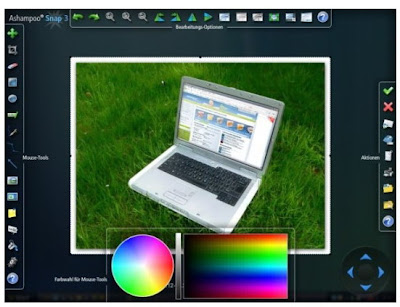
Ashampoo Snap 3 might look a bit complicated for inexperienced users but don’t worry because each tasks come with wizards / instructions. Its features are highly accessible, users can easily access each tasks via “hide and appear” toolbar located at the top of the screen or via system tray menu.
The screen capture allows users to make screen shoots of any objects on the screen. Users can capture scrolling windows / web pages with long text, single window, capture a rectangle region / fixed region / free style region.
The screen video capture is able to record computer screen, cursor movements, and capture anything on the screen. It is able to capture both movies and applications so you can make your own video tutorial / demo from screen video capture. It also provides you with capture options, whether you want to capture entire screen, a single window / application, or capture a region (rectangular / fixed), plus you can add your voice via microphone to narrate the video.
In addition, Ashampoo Snap 3 provides users with editor mode which allows users to edit pictures or videos.
How to get Ashampoo Snap 3.4 full version + free license code?
1. Download Ashampoo Snap 3.4 from Cnet and then install it to your PC
2. Go to this page and fill the form with your email address.
3. You’ll receive a confirmation email, just open it and click the confirmation link.
4. In the sign up page, just click “Ok, Send”
5. The second email will be delivered to your inbox. Simply open it and copy the license code

The license code for Ashampoo Snap 3.4 is AMS3A7-77E5BC-73C9EF
Registering your program
1. Run Ashampoo Snap 3 – open “configure” menu
2. Click “Internet” tab – click “buy/register” – enter the product key code and hit ok
That is it! Your Ashampoo Snap 3.4 has been successfully registered, now you can use it for free without limitations.


